Set it down. Open up the view.
On a tripod or clamp, turn stabilization off for the widest view. Choose before you start filming.
Widest view · No stabilization Coming soon
 Athlete Game
Be there for the game. Follow your player, save the plays you love and come home with a story already taking shape.
Portrait or landscape. Your view of the game.
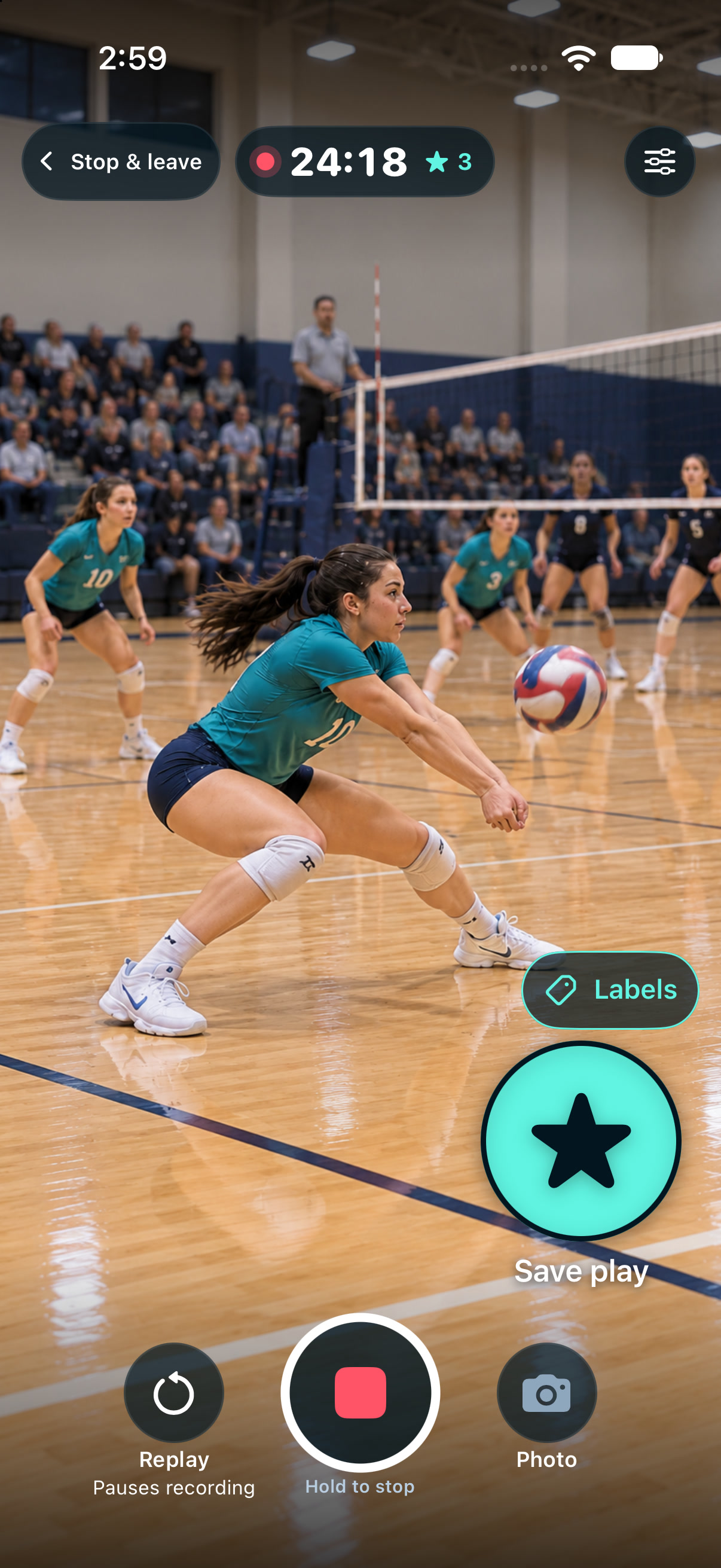
01 Find your angle
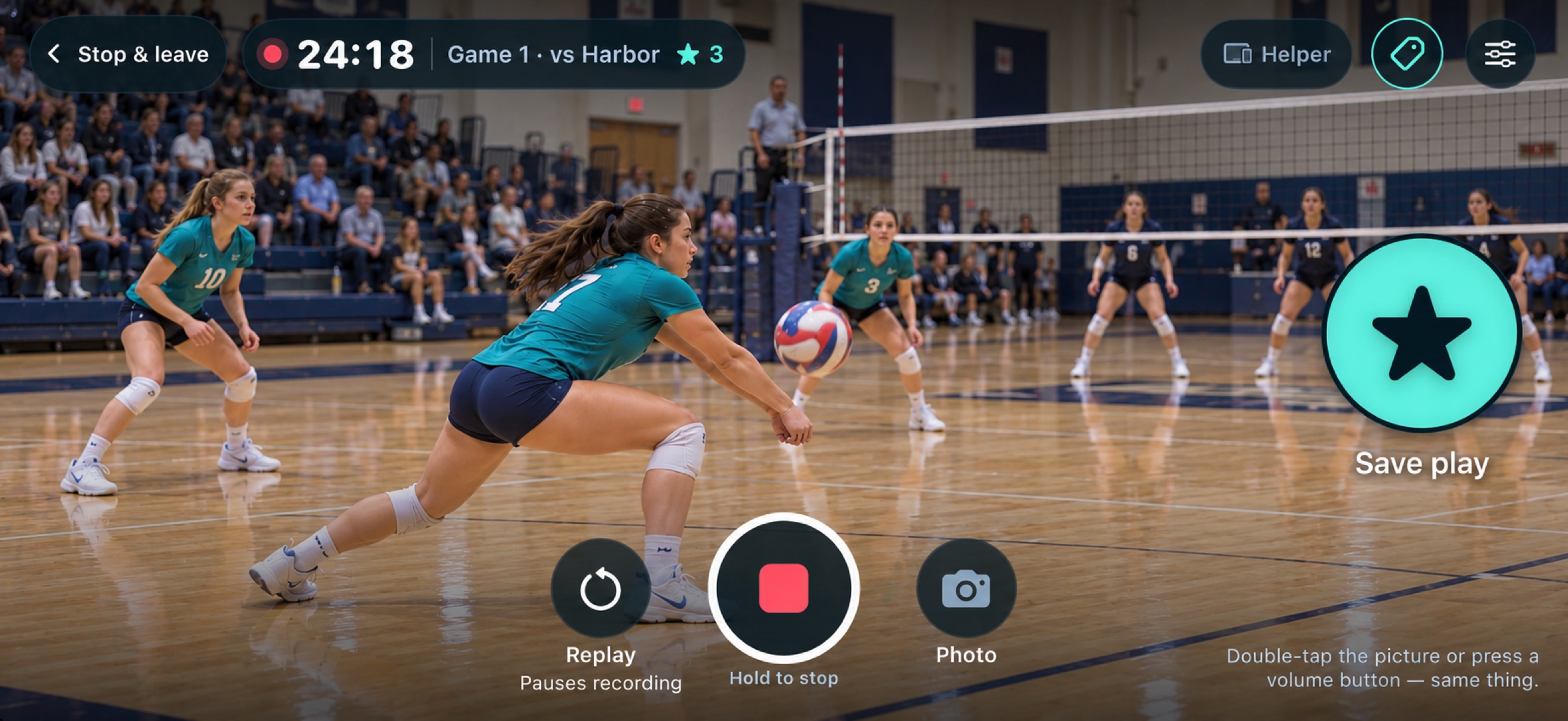
Film vertically to follow your player, or turn your phone for more of the court. Another camera can cover the full match while you capture your athlete’s story.
Choose how the camera handles movement before recording.
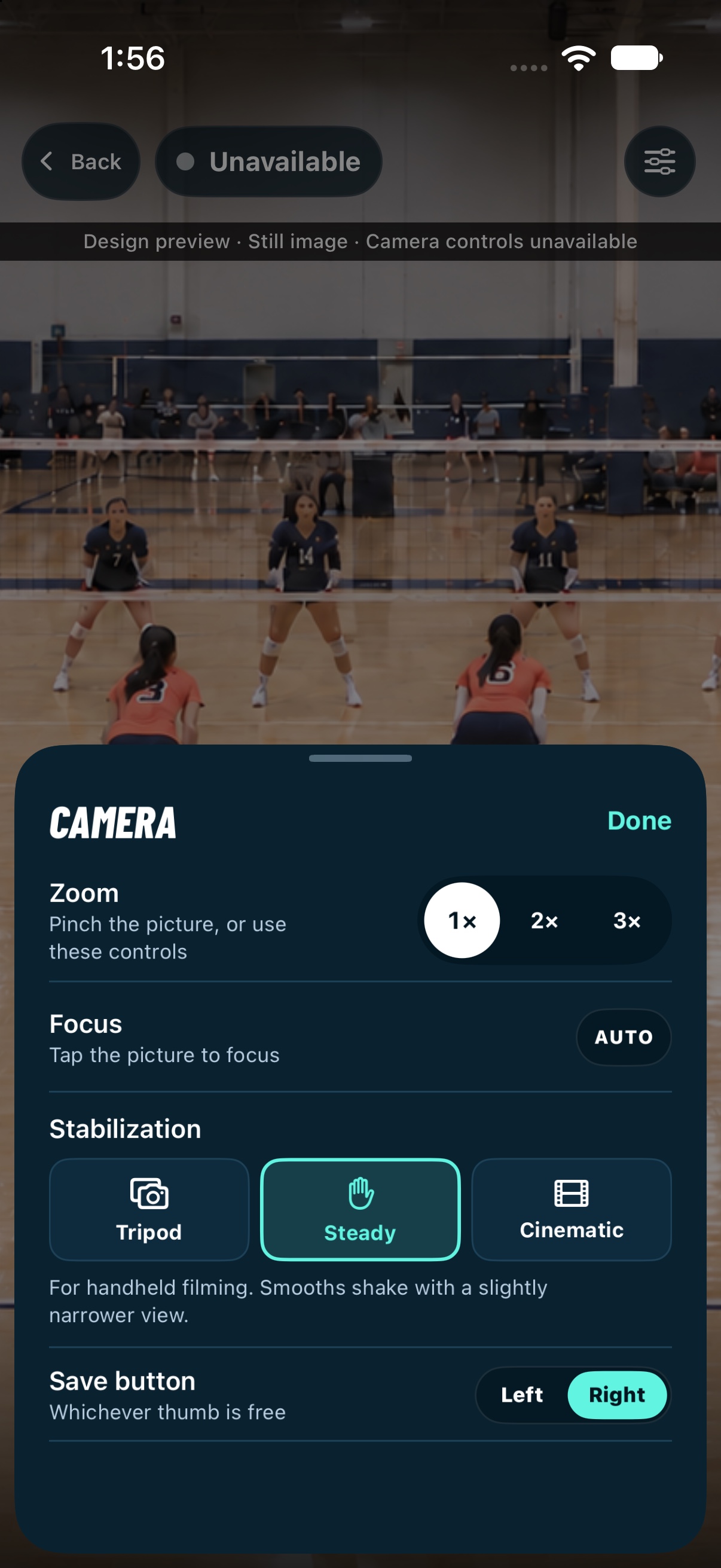
Native options screen · Steady selected.
On a tripod or clamp, turn stabilization off for the widest view. Choose before you start filming.
Widest view · No stabilizationThe default for handheld Athlete Game recording. Smooths camera shake with a slightly narrower view.
Handheld · Standard stabilizationStronger stabilization brings a narrower view and more capture delay. Availability depends on the device and camera setting.
Stronger smoothing · More crop & delayCinematic is stronger stabilization, with more crop and delay. Availability depends on the device and camera setting; VBCam falls back to a supported option.
02 Keep the moments you know
A brave dig. Their first ace. You know what deserves another look.
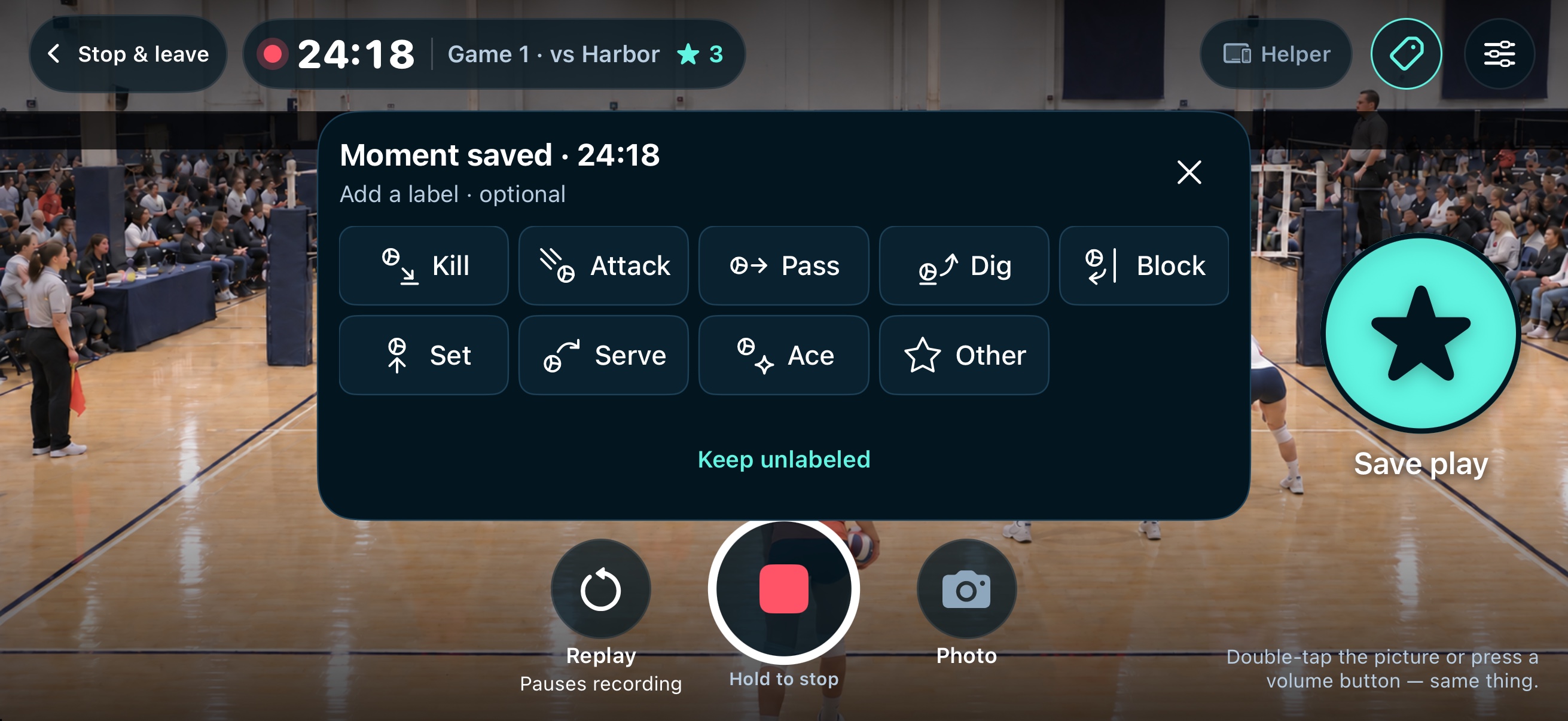
Tap Save play just after it happens, double-tap the picture or use a volume button. Recording keeps going. Later, start with your picks instead of searching every touch.
Labels are optional. Save first; give the moment a name if you want to.
03 Instant Replay
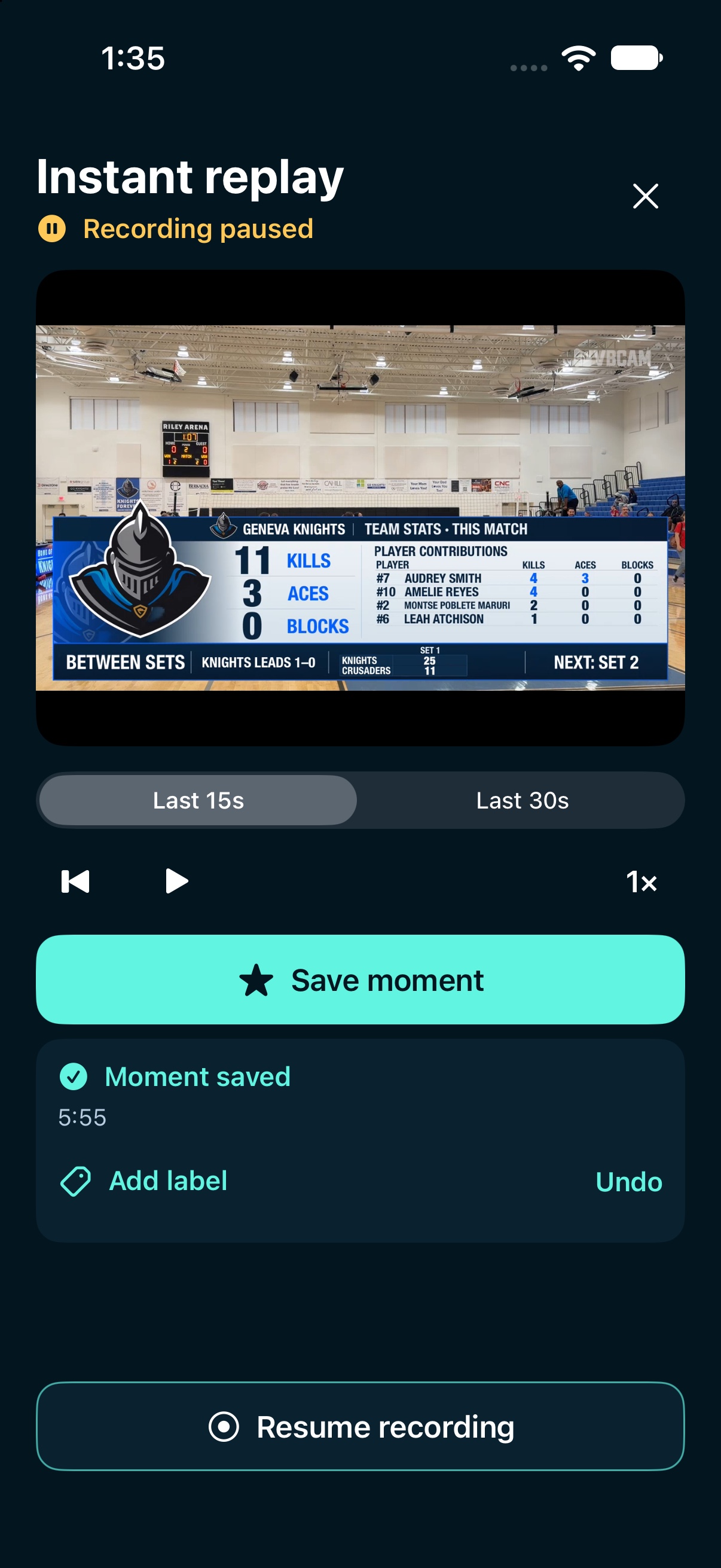
The last 15 or 30 seconds, on an automatic loop. Watch at normal or half speed.
Save the moment you’re watching. Add an optional volleyball label, keep it unlabeled or undo the new save. Your original recording stays intact.
Resume recording starts filming again. Closing Replay leaves recording paused.
Adding a label pauses playback at that point. Press Play to continue watching.
04 From the game to the group chat
Your saved moments are the starting point. Keep one play simple, or bring several together into a story.
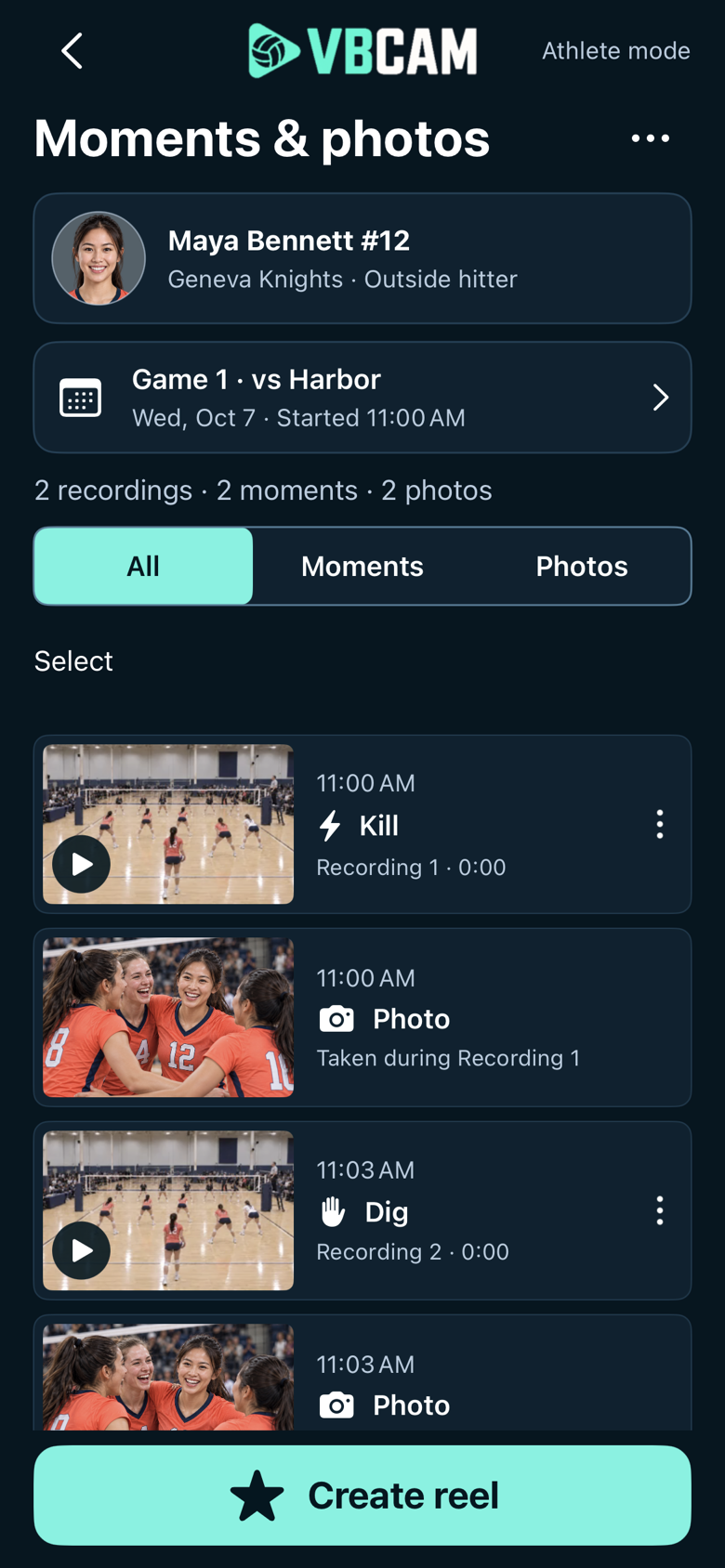
Game results keeps recordings, saved plays and photos together. You can still find and tag more from the recording.
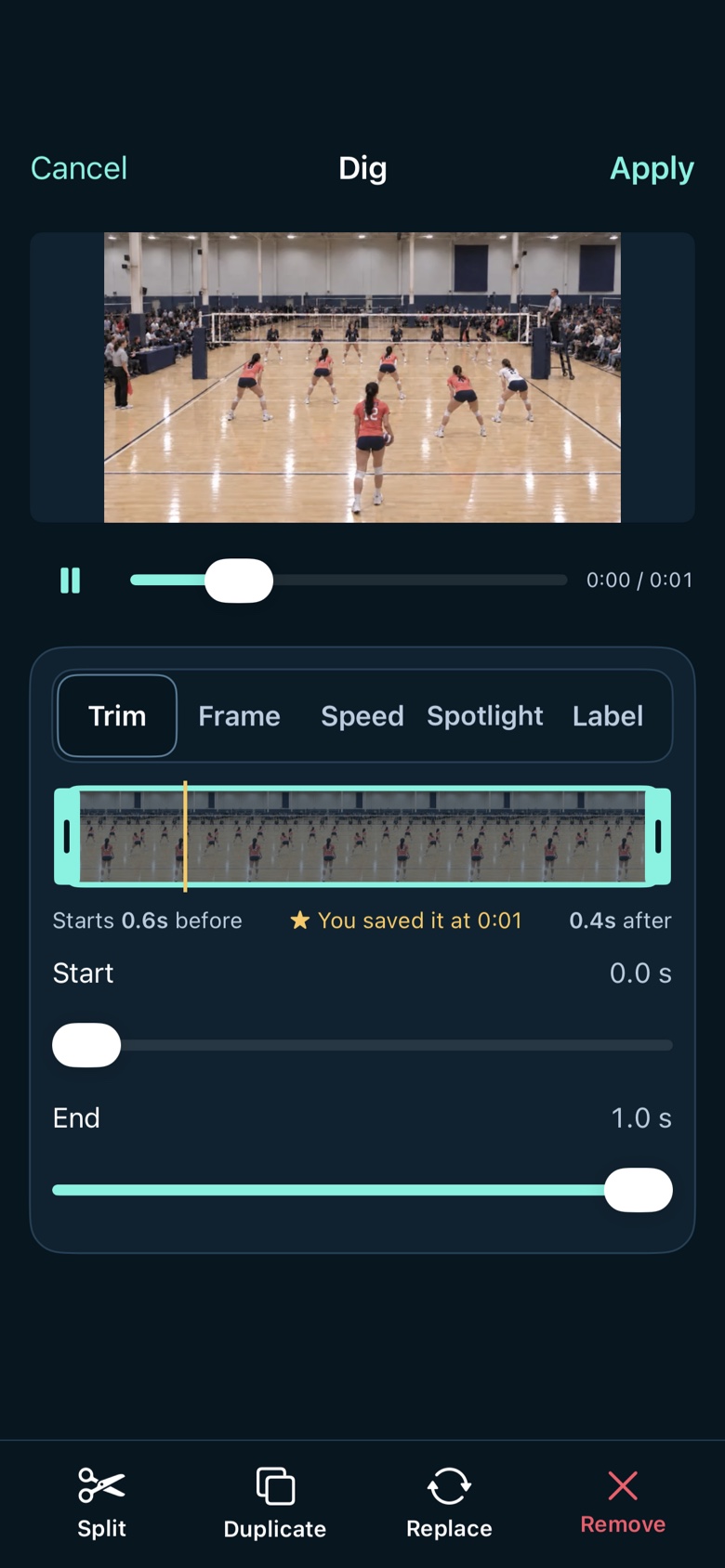
Send one clip, or combine plays and photos with ten reel looks, from game-day energy to recruiting.
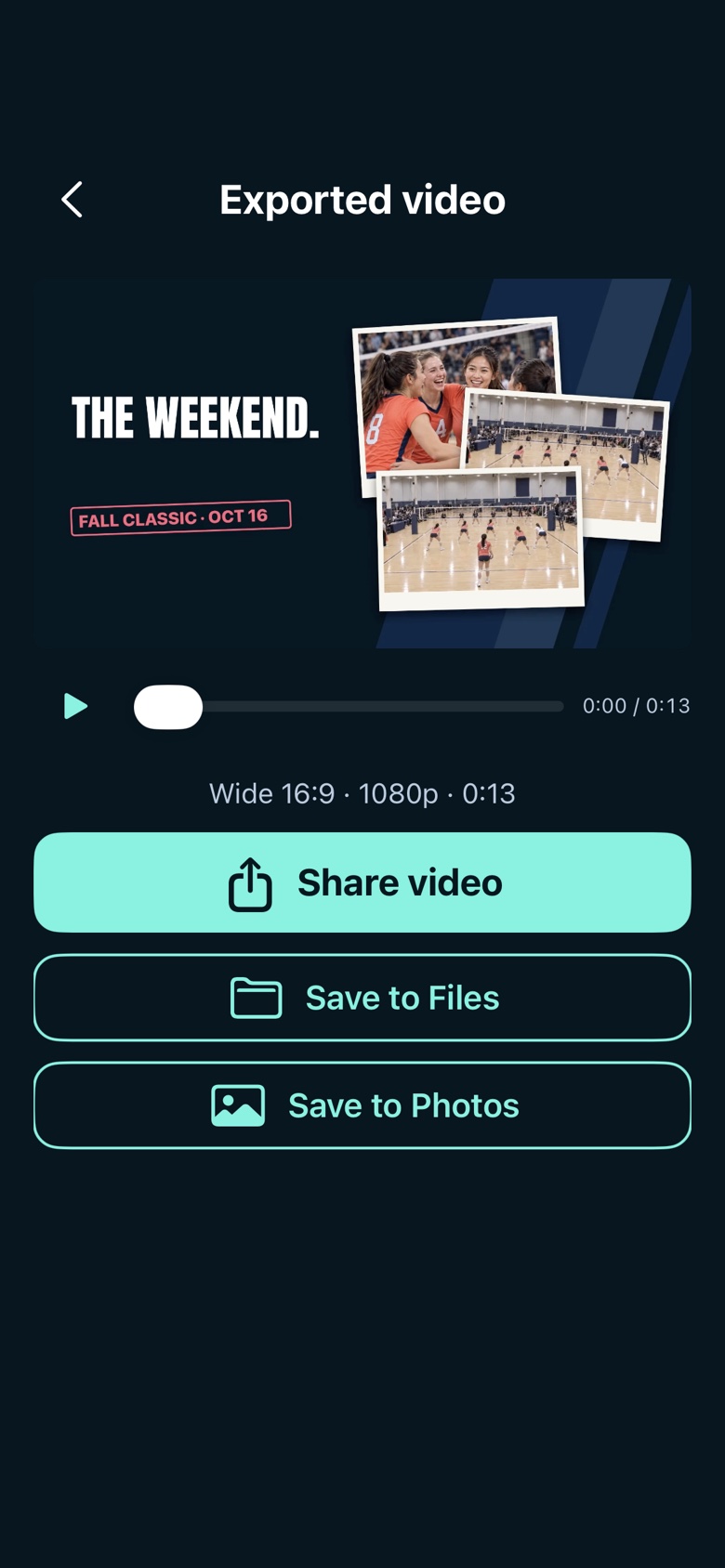
Export tall, wide or both, with separate framing. Share the video or save it to Photos or Files.
Native screen examples with sample content. Select any screen for a closer look.
05 VBCam Music
Pick a track from VBCam’s own collection or bring music from your files. Balance it with the court sound, or choose Just clips.
Native music library · Track previews play in the app.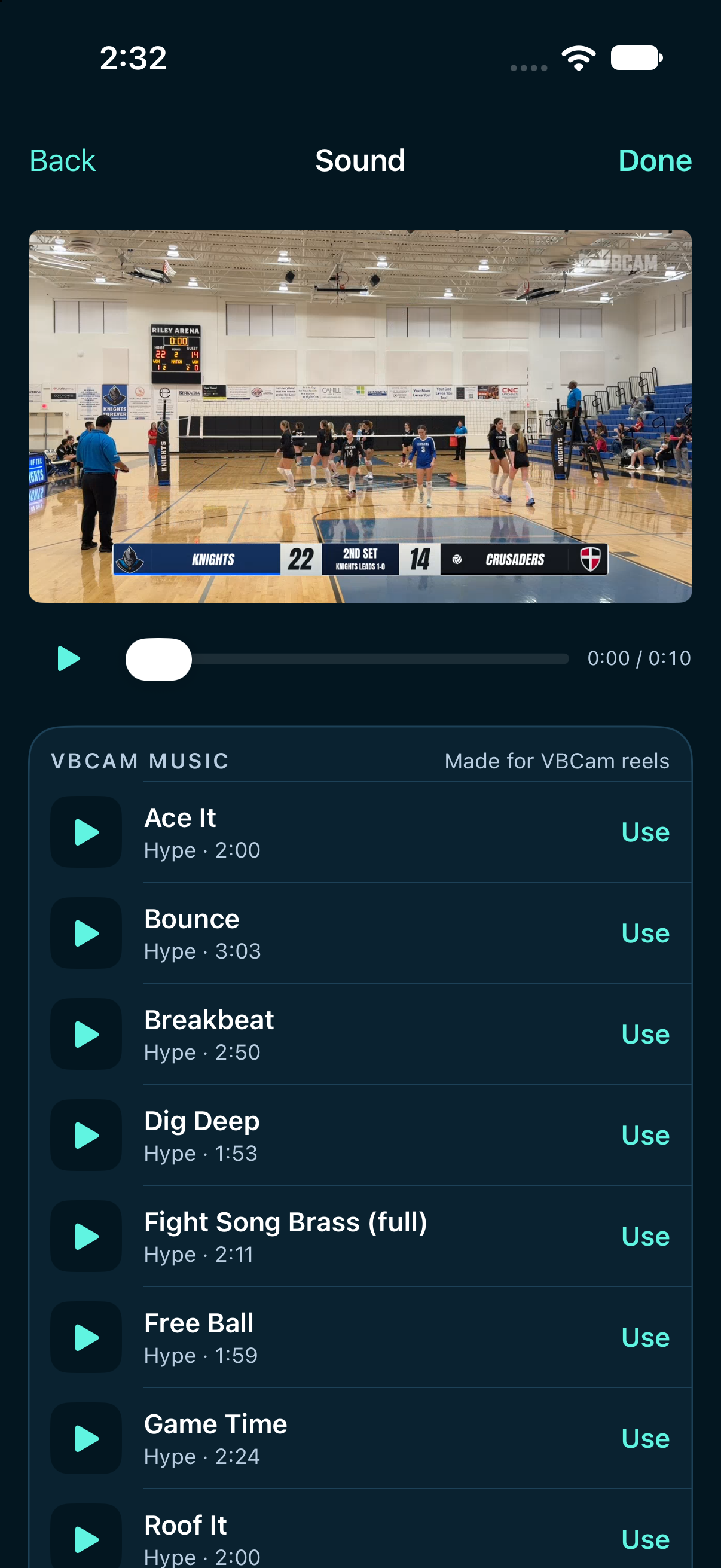
A little teamwork
The person filming doesn’t have to do everything. A quick tap from your wrist or a nearby helper can keep the moment.
Save a play without reaching for the recording phone.
The paired iPhone records the video.
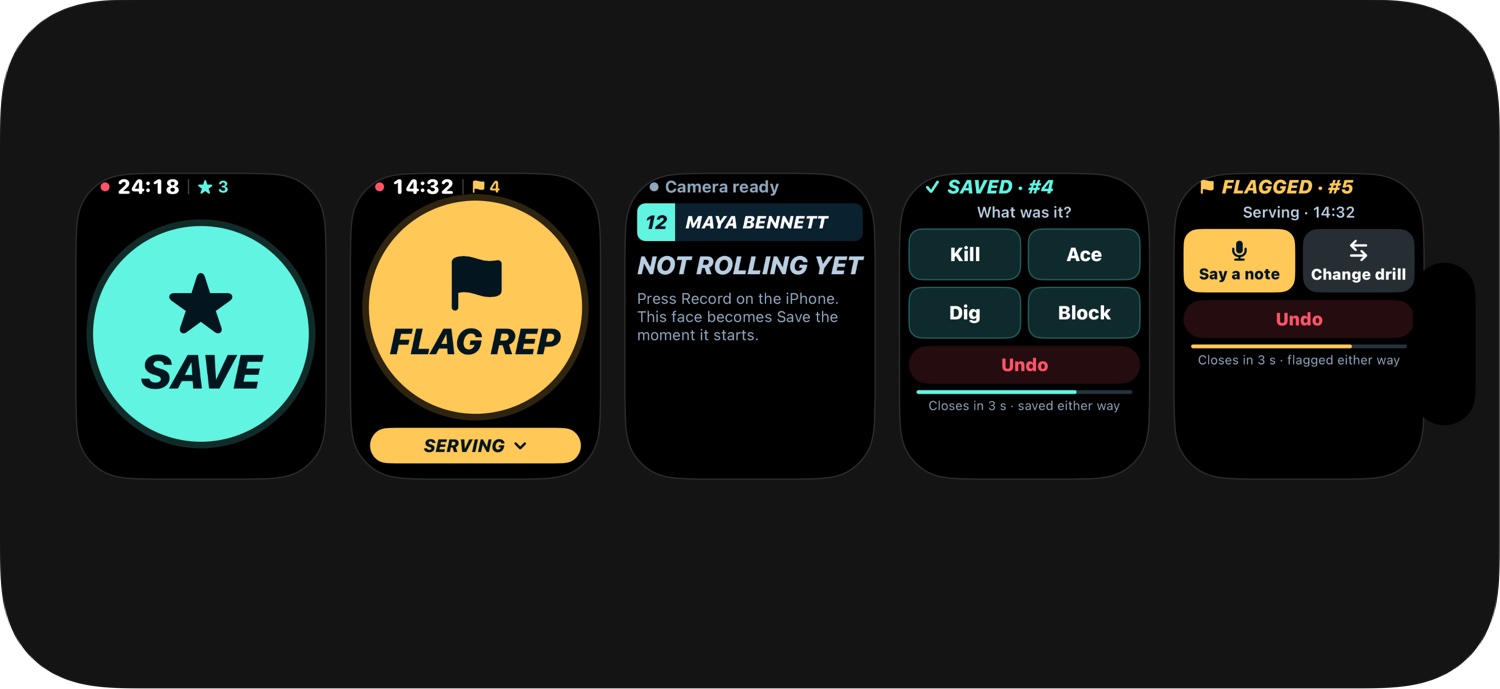
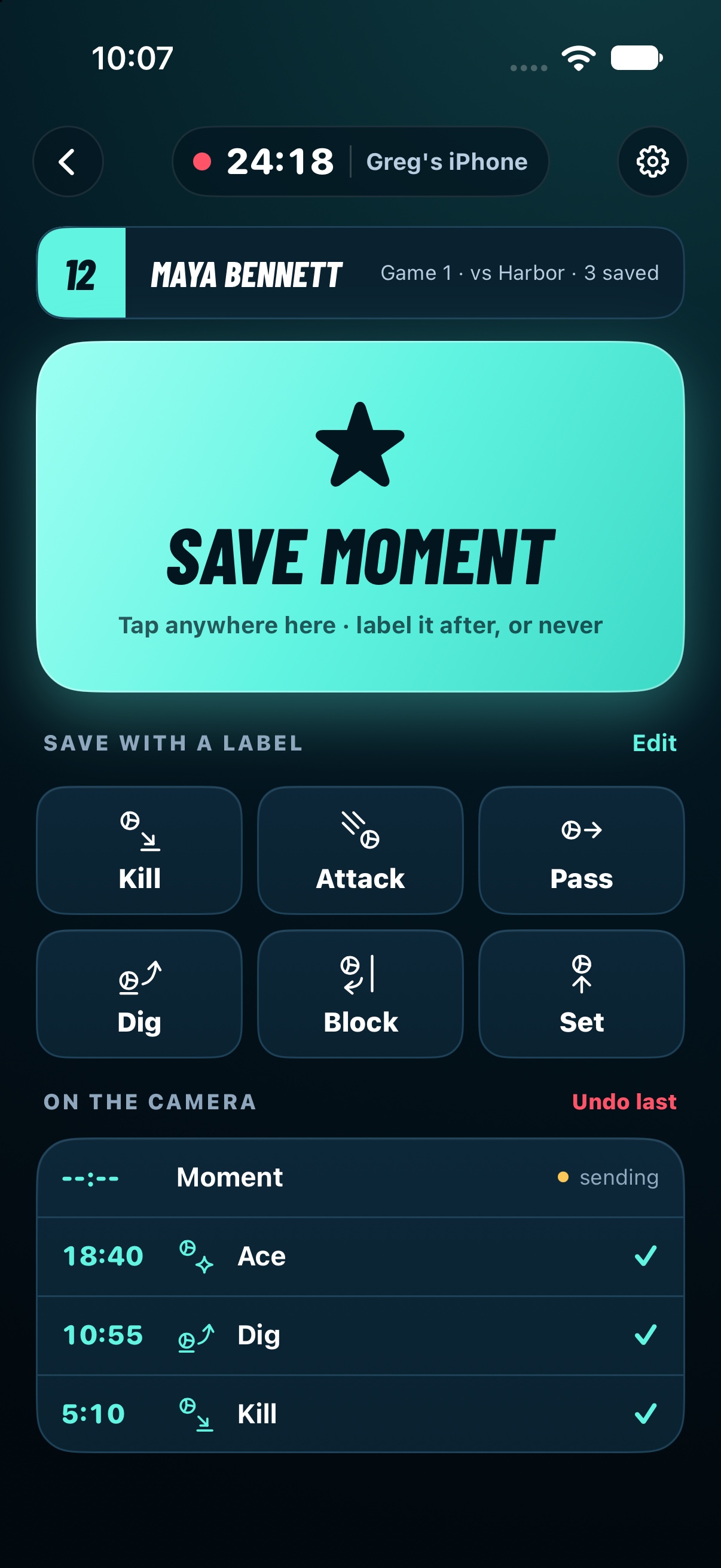
One person films. Another saves and labels moments from a locally connected phone.
Between matches