
01
Team · Record and stream volleyball
Their team.
The whole show.
One phone on the court. A broadcast with your team’s personality. Build the preshow, bring the music and give someone nearby the controls.
01 Before first serve
The warm-up.
Now part of the show.
Give family something to enjoy while the team gets ready. Your preshow loops selected cards over VBCam Music until you’re ready for the match.
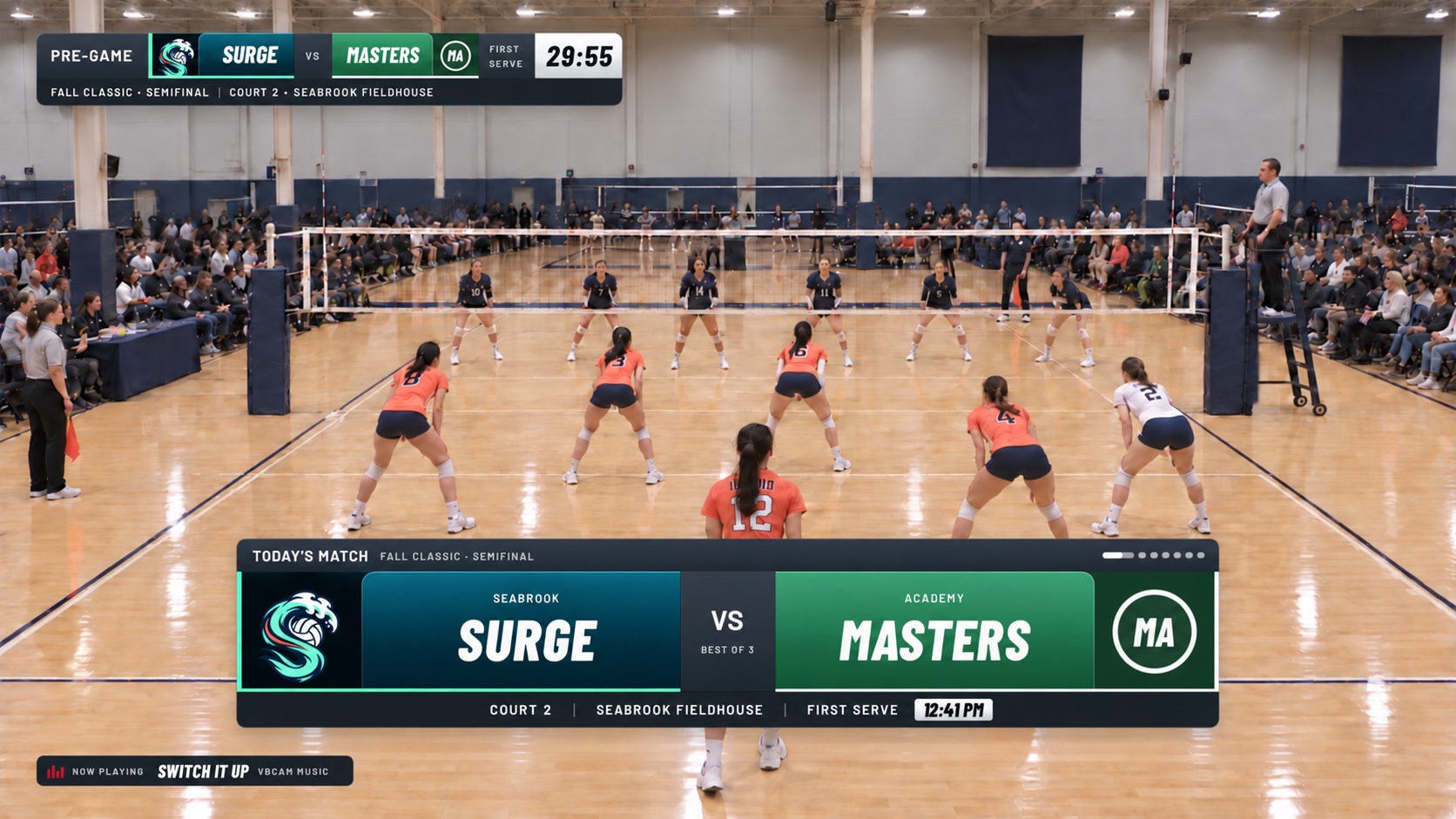
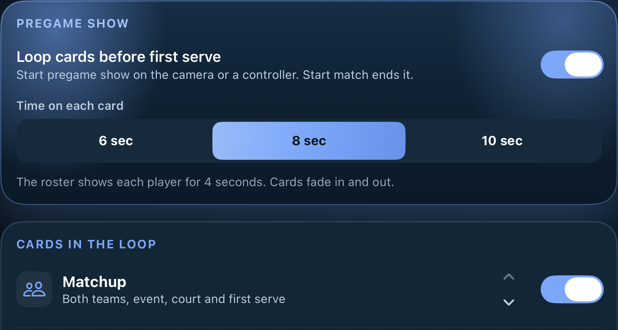
You set the pace.Pick the cards.
Pick the cards.
Make the order yours.
Choose 6, 8 or 10 seconds per card. Carry your setup into later games of the tournament weekend.
Explore the cards in your show
01MatchupSet the scene.
Introduce the two teams, event, round, court and first serve with the names, colors and logos you’ve set up.
02Venue + countdownBring everyone there.
Add the venue and city, a map when available, and a countdown to first serve.
03RosterMeet the players.
Introduce the roster with player names, jersey numbers and photos. Each player gets their own moment.
04Last matchPick up the story.
Bring the previous result into the preshow so everyone at home can follow the team’s weekend.
05Season + players to watchA little more context.
Show the season story and choose the players you want to put in the spotlight.
06ShoutoutsMake it personal.
Celebrate a senior, birthday or college commitment, or add a shoutout with a name and a personal line.
07Sponsor or boosterThank their supporters.
Add a sponsor’s logo, name, message, handle or website and a thank-you.
You’re still in control.
Let it loop.
Or take the next cue.
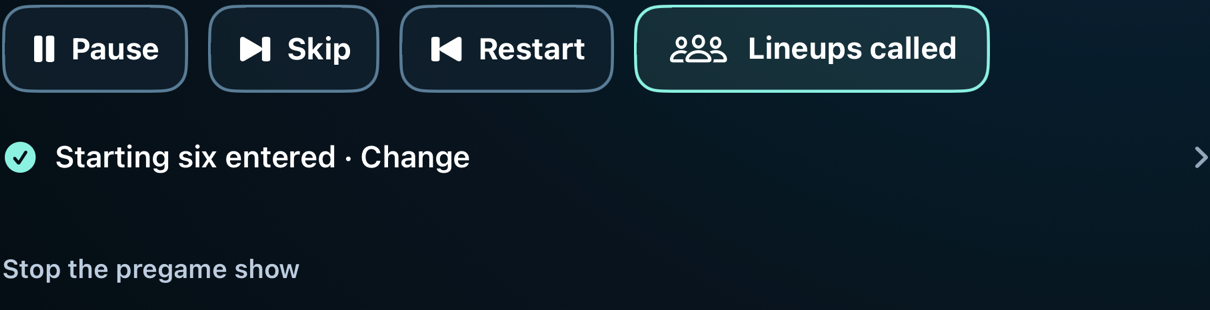
Pause a card, skip ahead or restart the show. Call the starting six when lineups are announced. Start match takes you into the opening.
02 VBCam Music
Give game day
its own soundtrack.
VBCam’s own music, built into the app. Set a warm-up playlist, choose the lineup moment and keep the court sound in the mix.
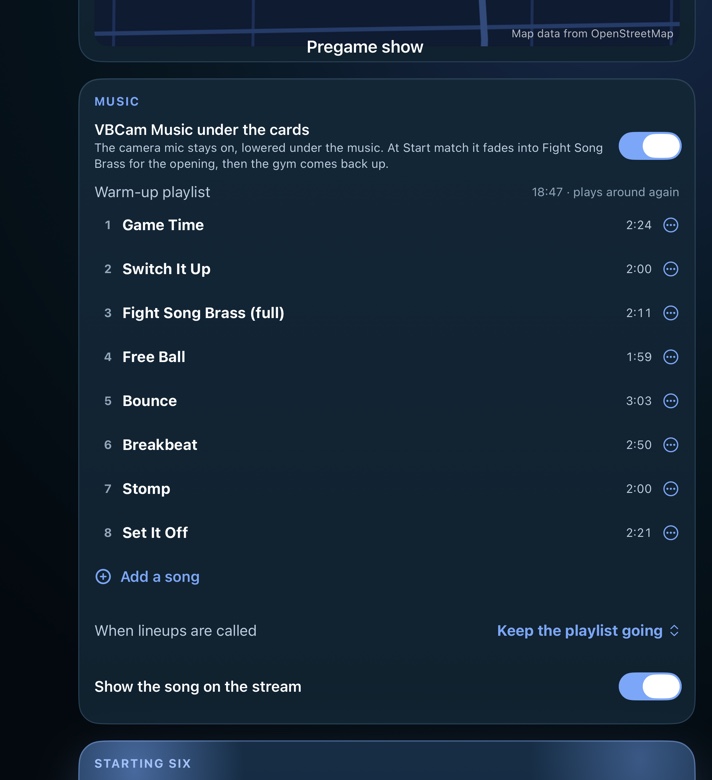
Set it up.Native playlist settings
Hear a little of what’s inside.
02
Switch It Up
Keep the rotation moving · 12-second sample03
Fight Song Brass
The match-opening signature · 12-second sampleSamples play only when you choose Play.
Your playlist, in your order.
Add songs, change a track, move it up or down, or remove it. The warm-up playlist plays around again.
A moment for the starting six.
Choose a song for Lineups called, or let the playlist continue. You can also show the song name on the stream.
Music for the breaks, too.
Team timeouts and set breaks take turns through the warm-up playlist.
Keep the feeling of being there.The music.
The music.
And the gym.
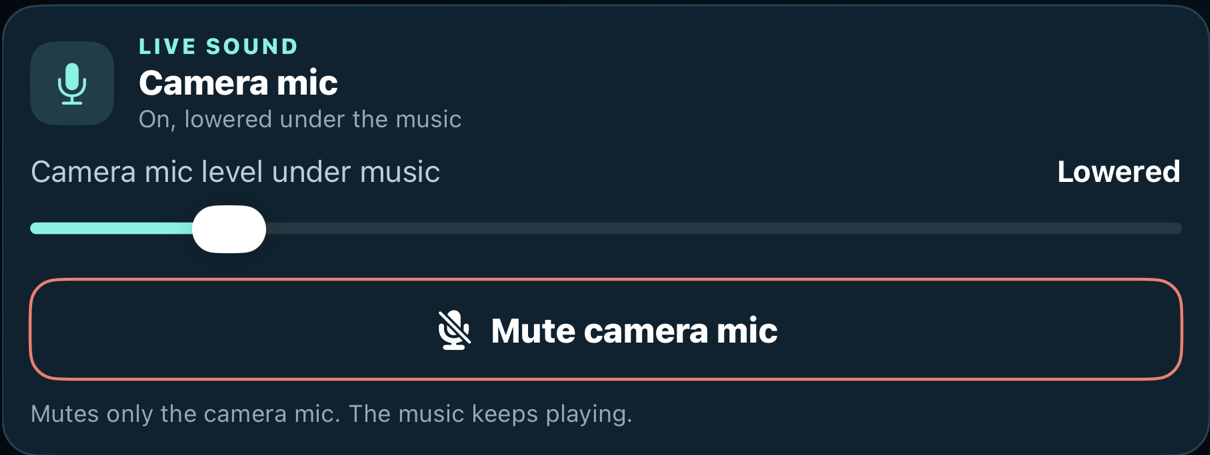
Adjust music and camera-mic levels separately. Mute just the mic while music keeps playing. At Start match, the preshow fades into the opening, then the gym sound comes back up.
03 Share the controls
One camera.
A little teamwork.
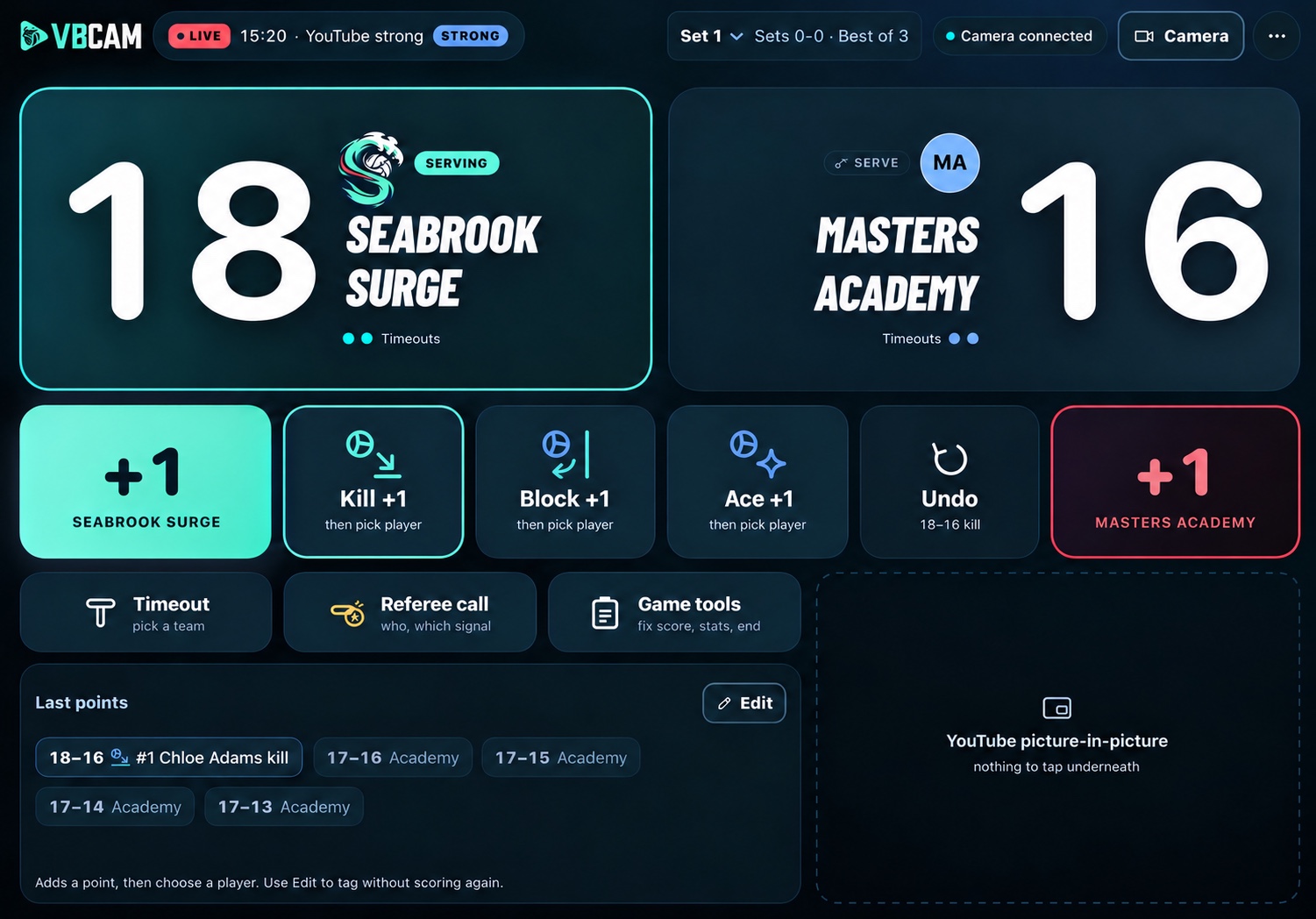
The recording phone keeps its view of the court. A locally connected iPad or iPhone can handle the show, scoring and match controls.
Explore the controller · Select an area below
Keep the score. Give them credit.
A point, and the player behind it.
Use +1 to score, or choose Kill, Block or Ace and then pick the player. Those moments can become callouts for everyone watching.
See the player callout ↗Stay on the same page.
The nearby controller follows the camera’s match state. The person filming can keep the court framed.
Know what’s reaching home.
Check the connection and stream health from the controller. YouTube viewing uses your broadcast’s access settings.
04 What your viewers see
A broadcast with
your team’s personality.
Explore the graphics your viewers see: the score, a player’s moment, the story between sets and a proper finish.
Stream to YouTubeYour colors.
Your crest.
Your team.

Bring your team identity to the broadcast, then give each player their moment.
Seabrook Surge · Our fictional demo teamEvery point
The score tells a story.
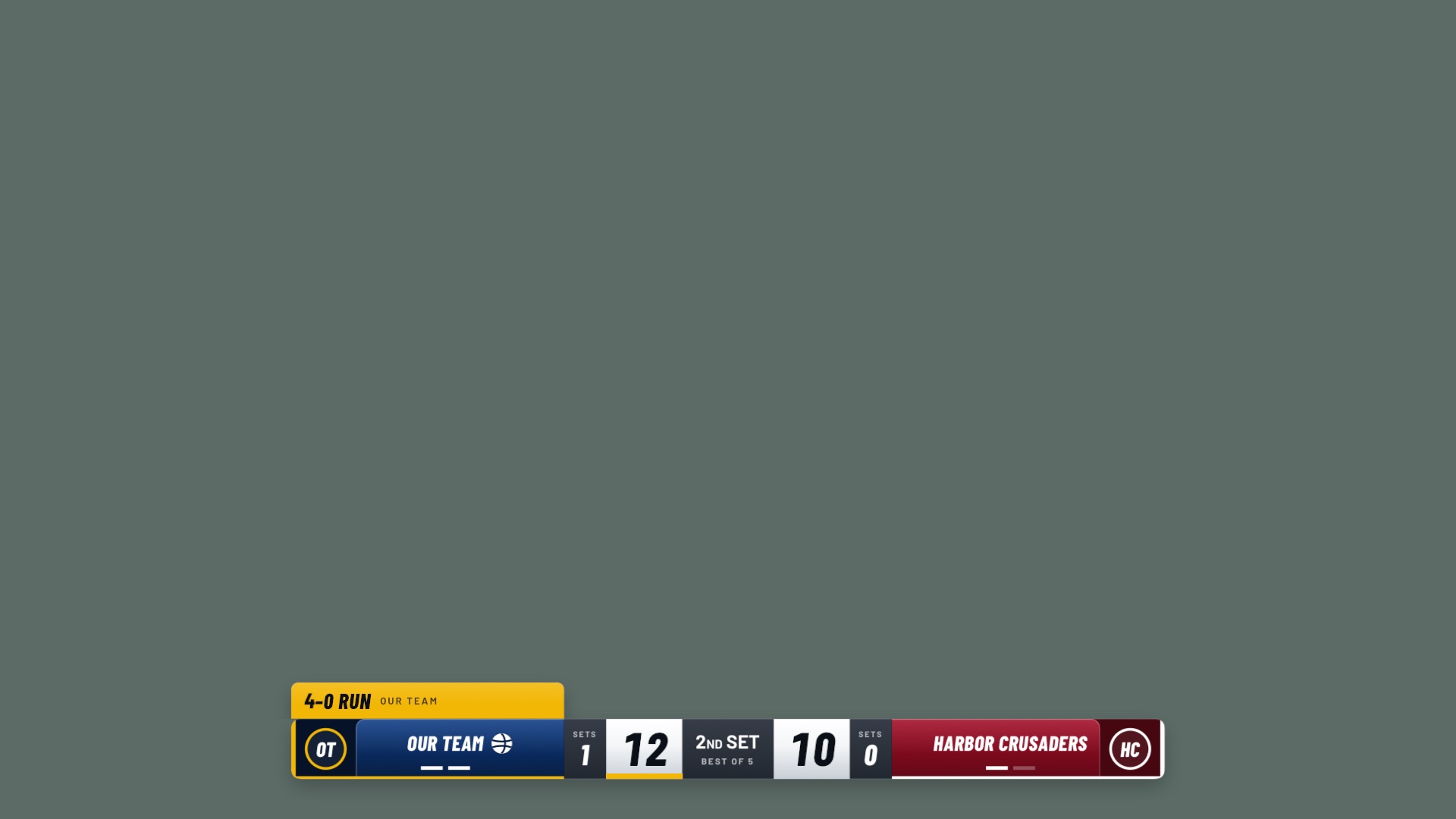
Keep viewers with the match: scores, sets, serving and scoring runs, right on the stream.
Their moment
A great play. A familiar face.
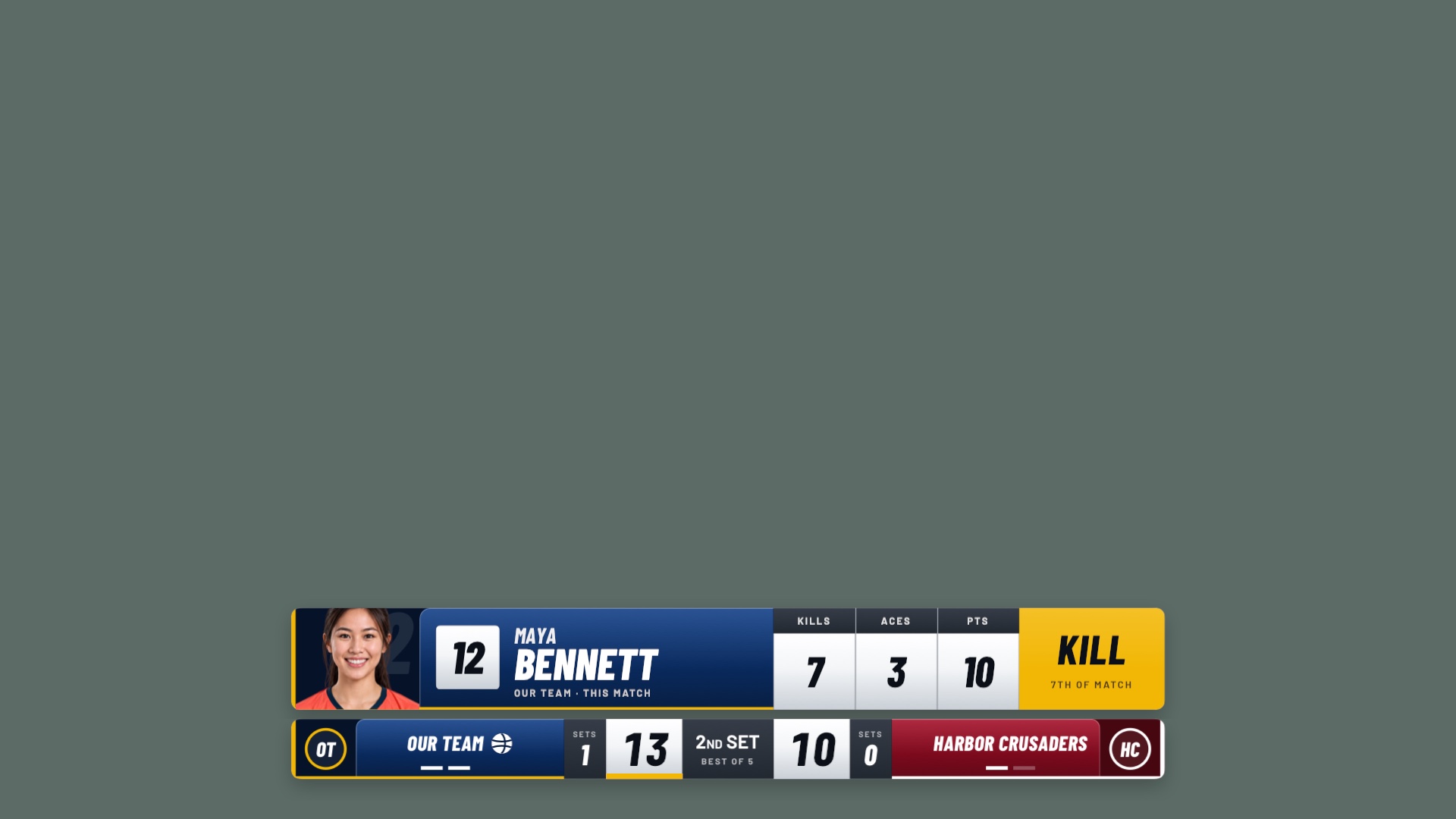
Celebrate your player with a photo, jersey number and a callout everyone at home can see.
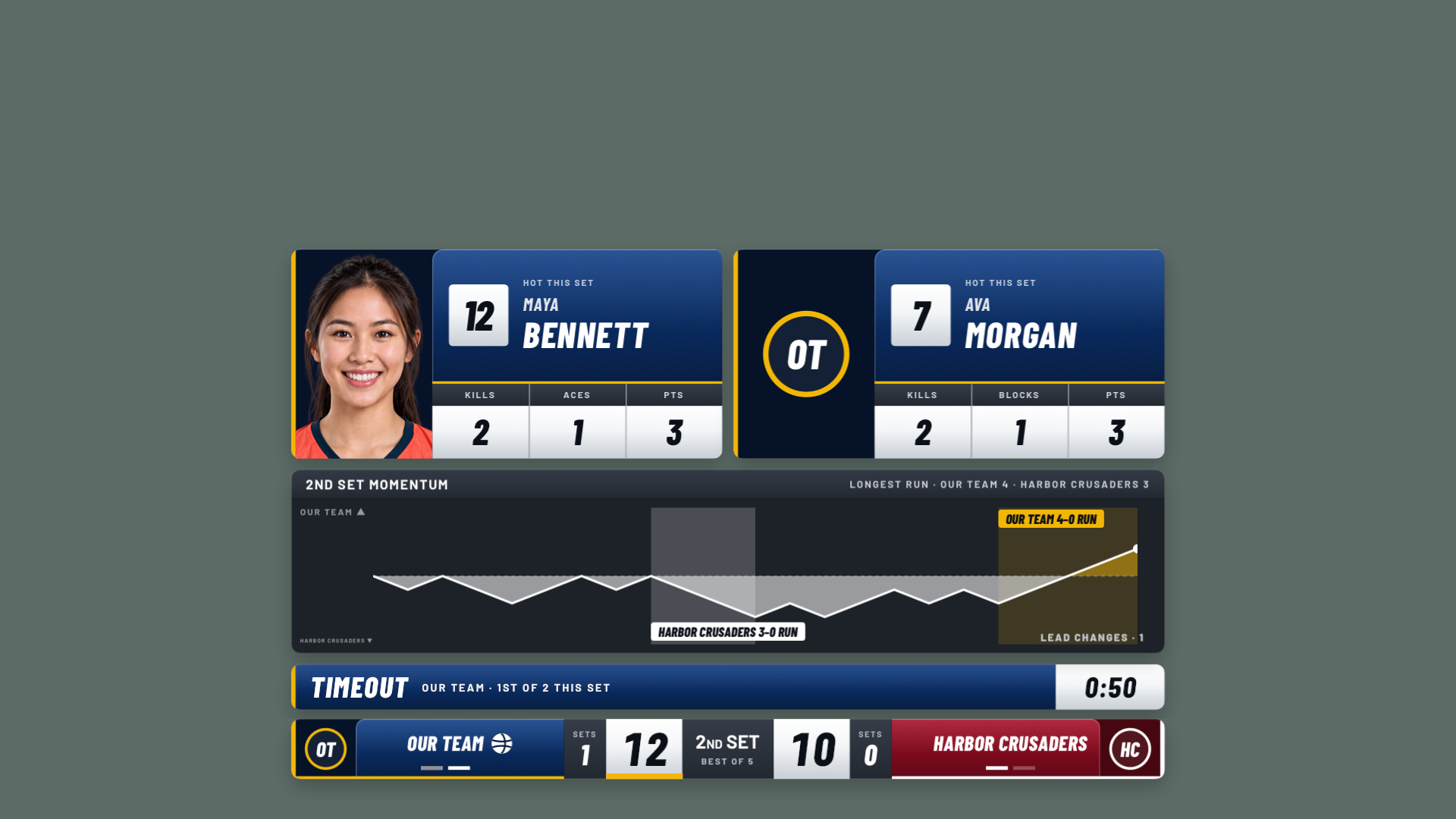
Keep the story going.
Player spotlights and momentum make the break part of the broadcast.
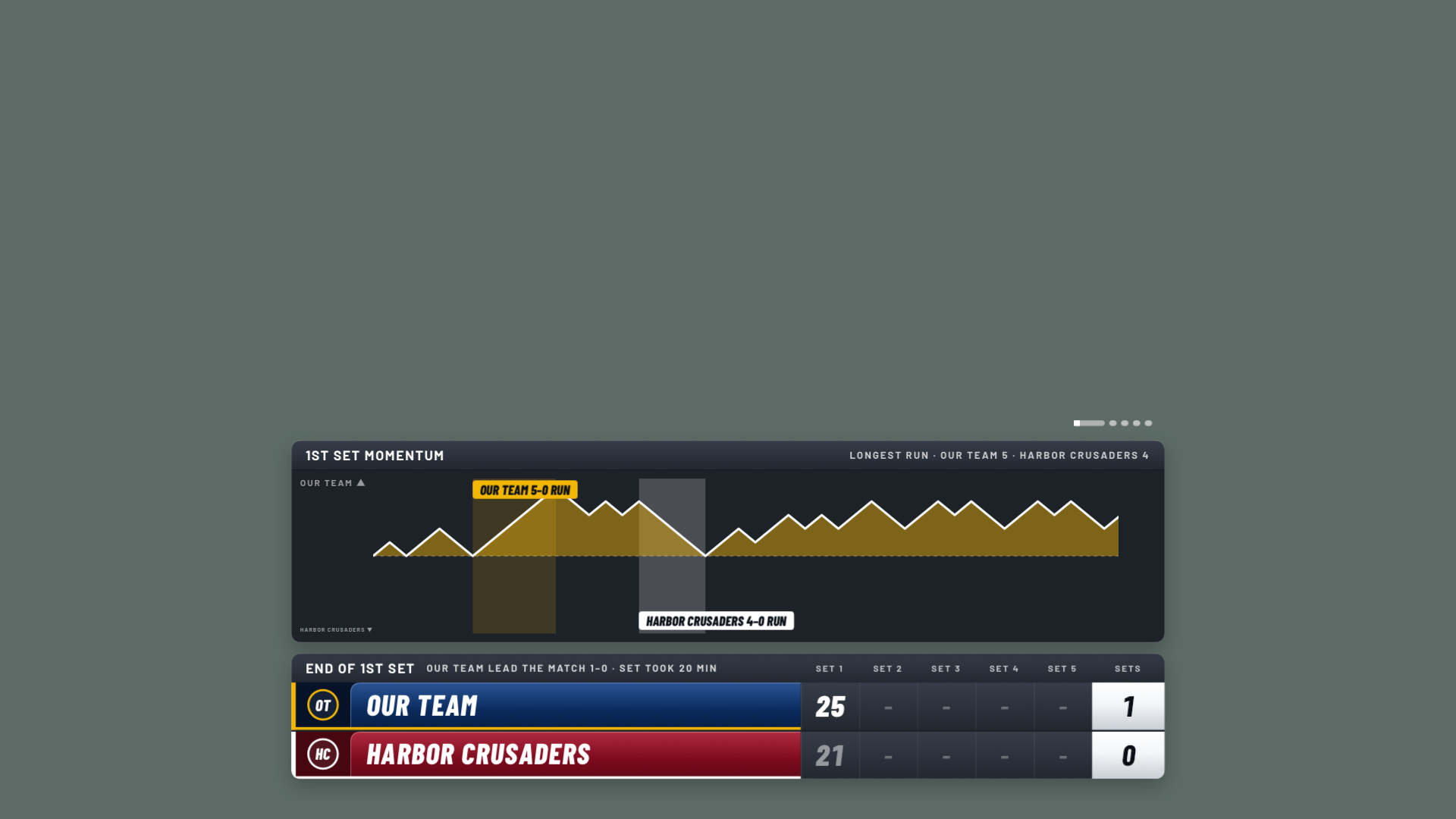
More than the score.
Show how the set unfolded, with momentum and the result together.
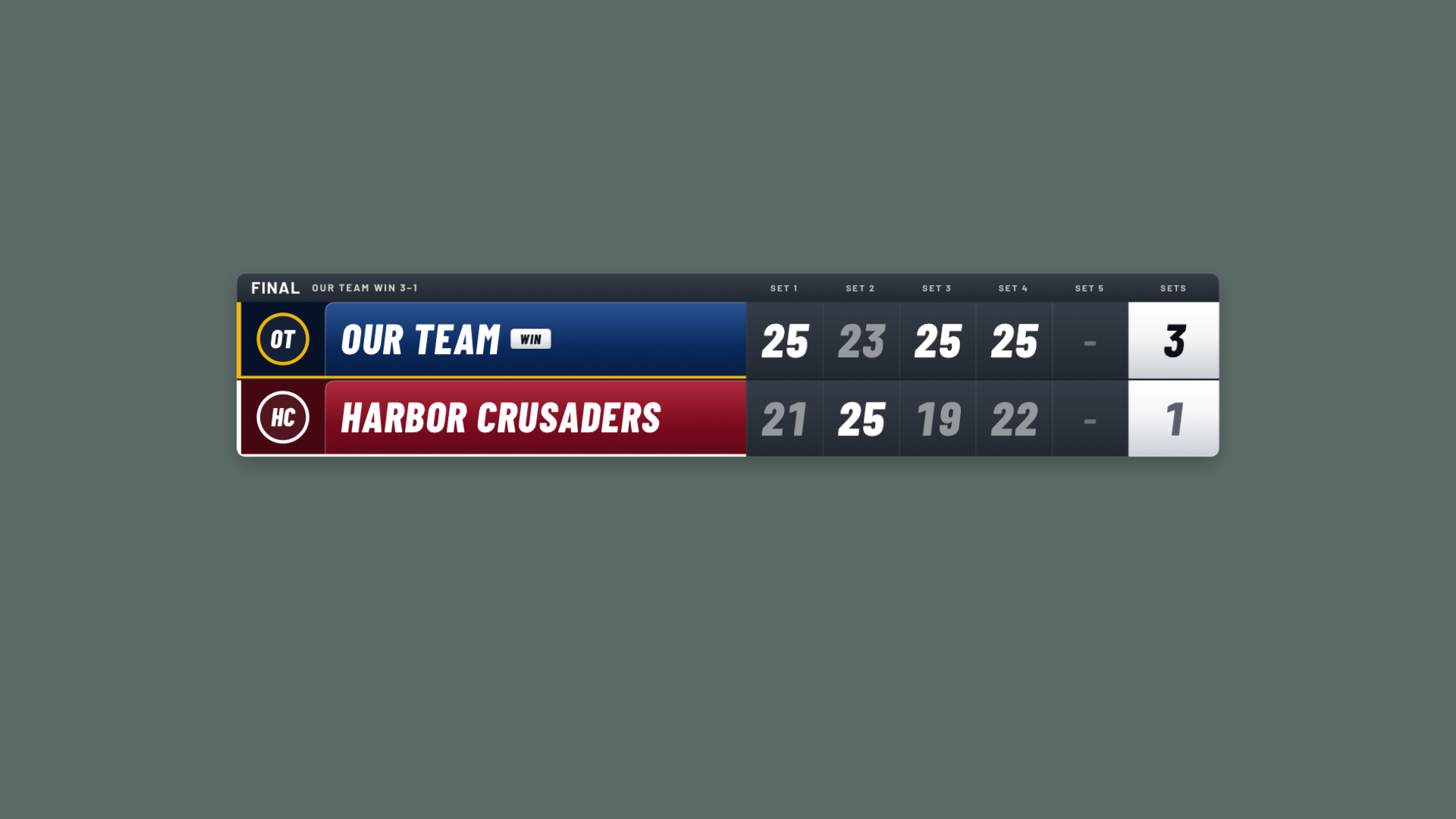
Give it a proper finish.
A final match graphic brings every set together for the fans.
Select a graphic for a closer look. The five overlay details are native renders with sample teams. Seabrook Surge is our fictional demo identity.
A broadcast and a clean recording
Keep a local recording alongside your stream. Add broadcast graphics when you export a match afterward.
One link for everyone at home
Share the YouTube link so family can watch without VBCam. Streaming needs internet and an eligible YouTube channel.
The whole match. Their special moments.