← All three modes

Athlete Practice

See the work.
Keep the progress.

A good rep. A useful note. A little progress you can see. Keep the work between games in one place.

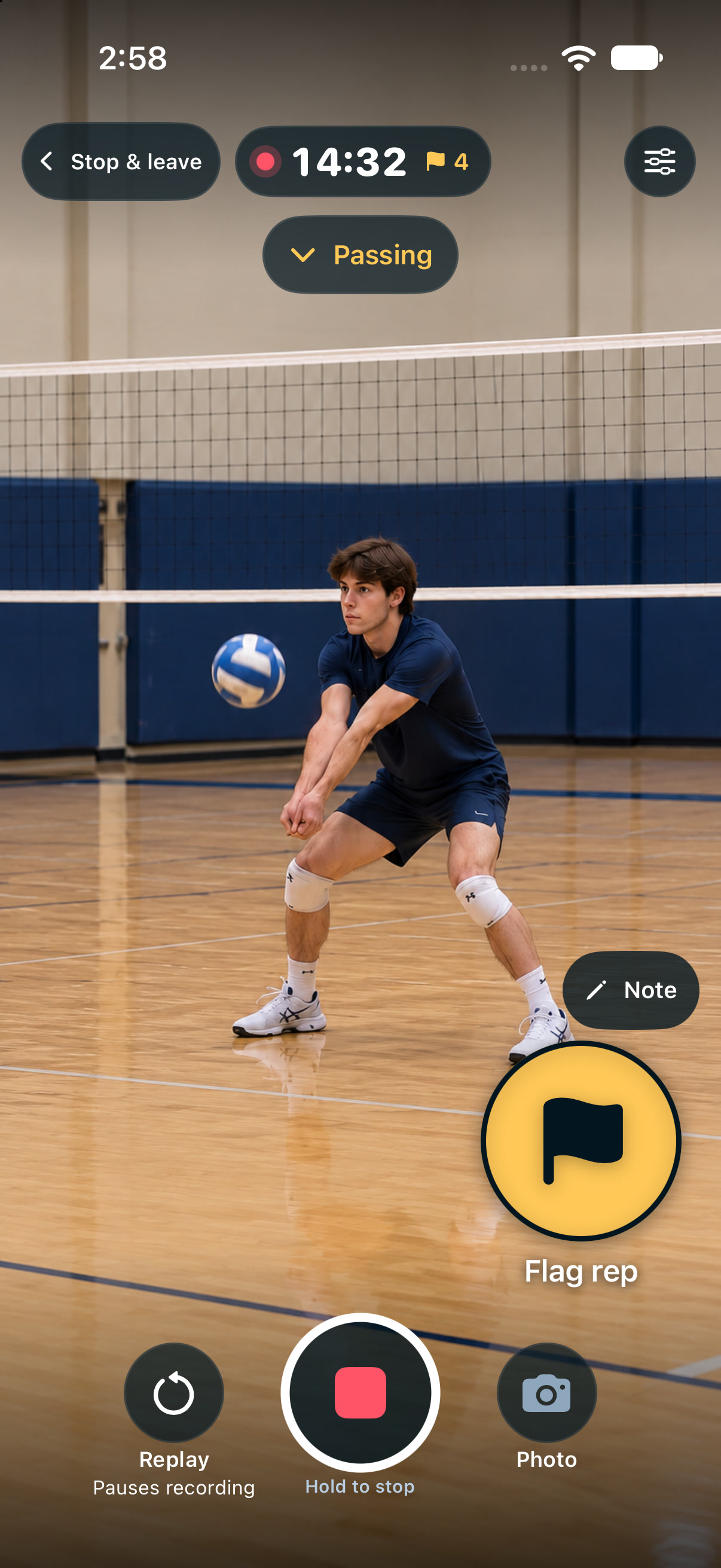
Portrait or landscape. You frame the drill.

Athlete Practice portrait capture
Native portrait capture · Illustrative scene

01 Make room for the rep

Set up.
Step into the drill.

Use a delayed start to get into position. Choose a drill and begin. On iPhone or iPad, the recording view leaves room for the work.

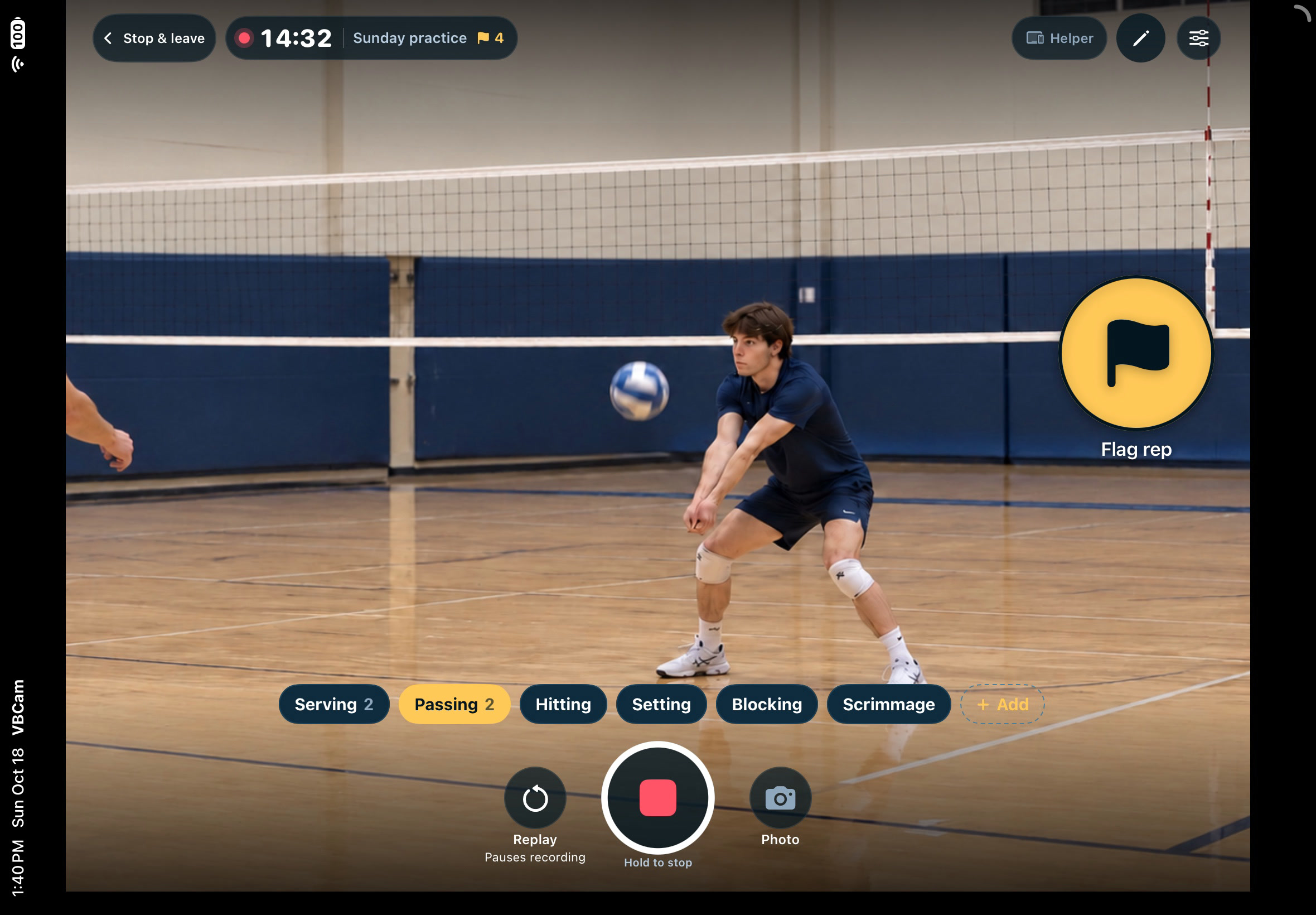
Landscape iPad Practice recording with no saved-history sidebar, circular Flag rep, drill choices and centered Record/Stop between equal Replay and Photo buttons
Native iPad Practice capture · Illustrative passing drill
01

Time to get ready.

A delayed start lets you step away from the camera and into position.

02

A clear camera view.

Saved thumbnails and the practice history sidebar stay hidden while recording.

03

One rep worth keeping.

Tap Flag rep while you film. Add a note about what felt right or what to try next.

02 Pause. Look. Learn.

A closer look.
At your pace.

The last 15 or 30 seconds, on an automatic loop. Watch at normal or half speed.

Flag the rep you’re watching and add an optional note about what to try next. Your original recording stays intact.

Replay pauses recording.

Resume recording starts filming again. Closing Replay leaves recording paused.

Adding a note pauses playback at that point. Press Play to continue watching.
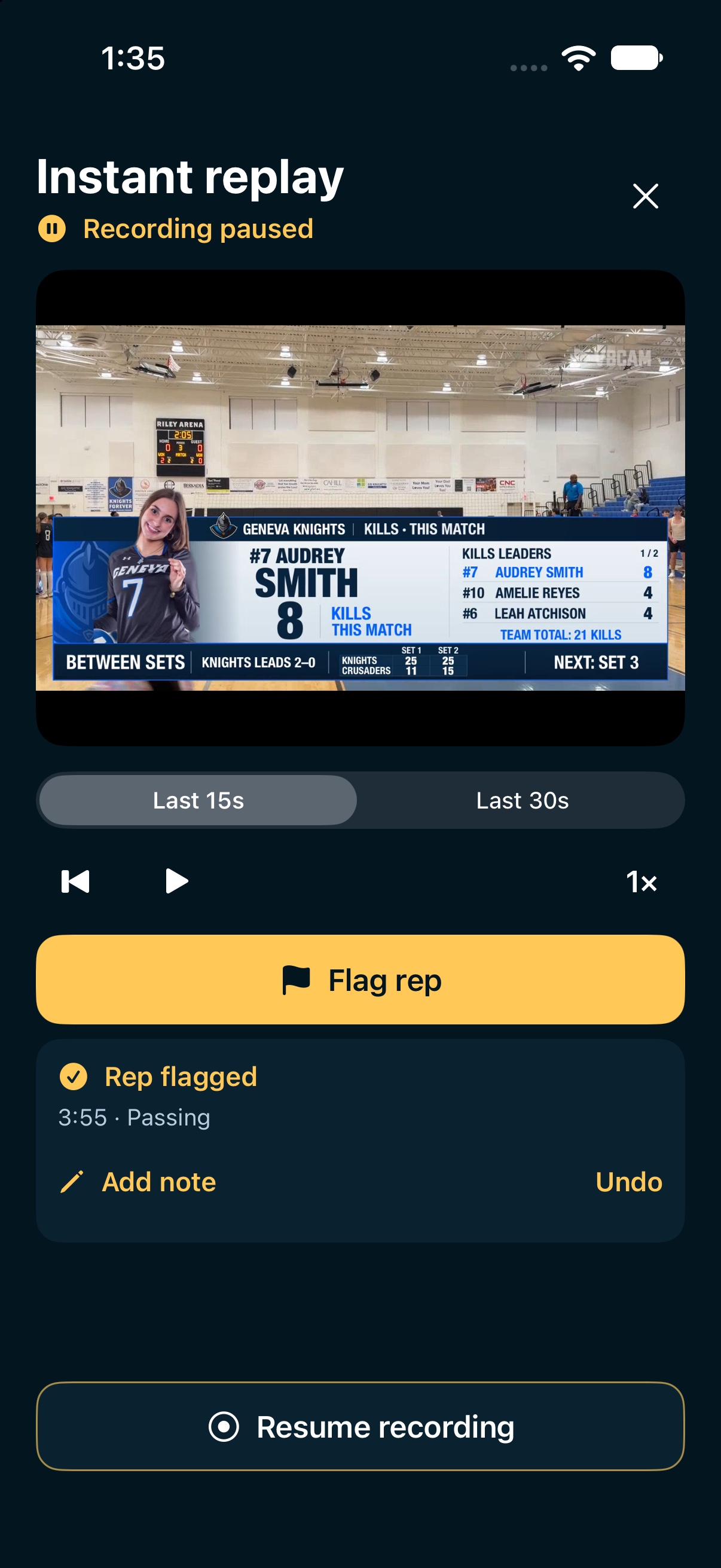
Native Practice Replay controls: Last 15s or Last 30s, playback and speed, Flag rep, Add note, Undo and Resume recording
Native Replay controls · Recording paused

03 Bring the work together

More than a recording.
A place for progress.

Training keeps practice organized by drill and session.
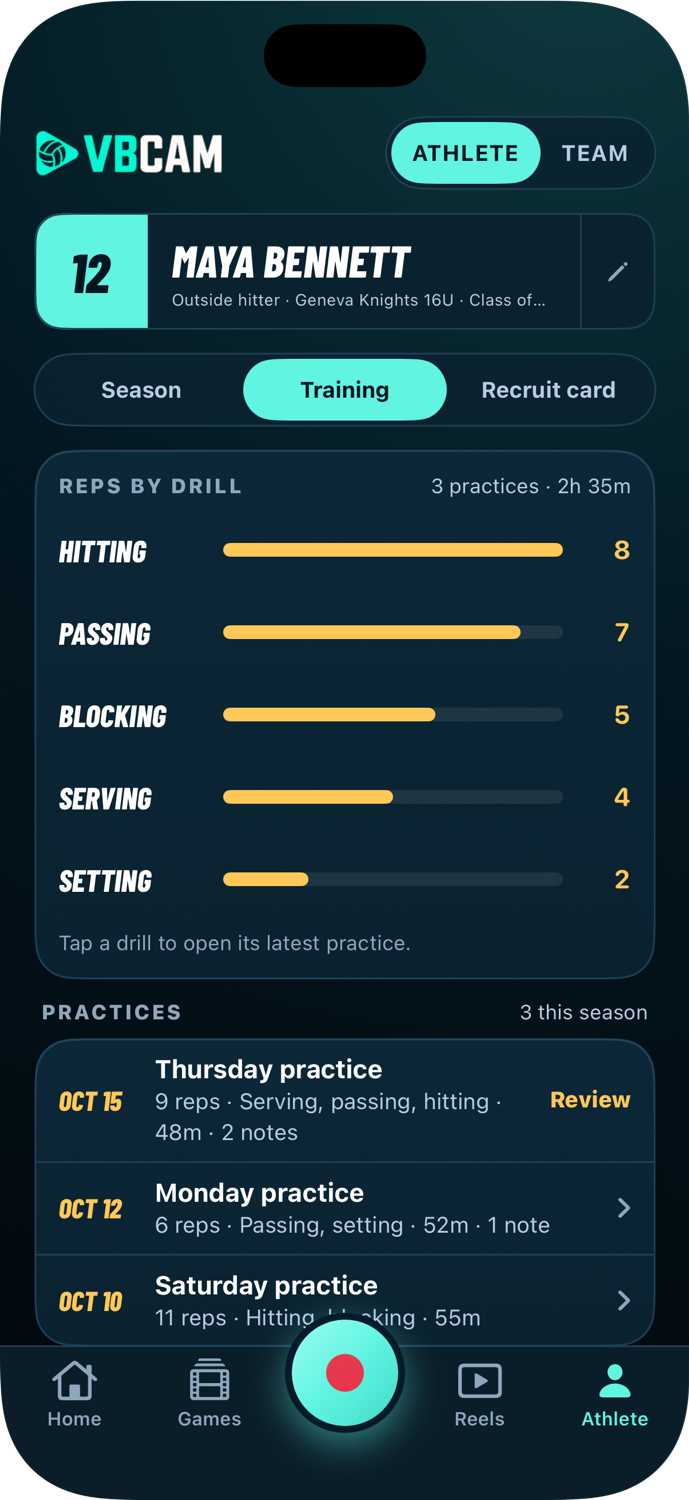
  1. Find the rep.Return to serving, passing or hitting without mixing practice into game highlights.
  2. Remember the detail.A flagged rep and your note give you a useful place to start.
  3. Start a conversation.Review, trim and share a clip with your athlete or coach.
Native Training detail showing reps by drill and practice history
Native Training · Sample practices
Apple Watch

A little help
from your wrist.

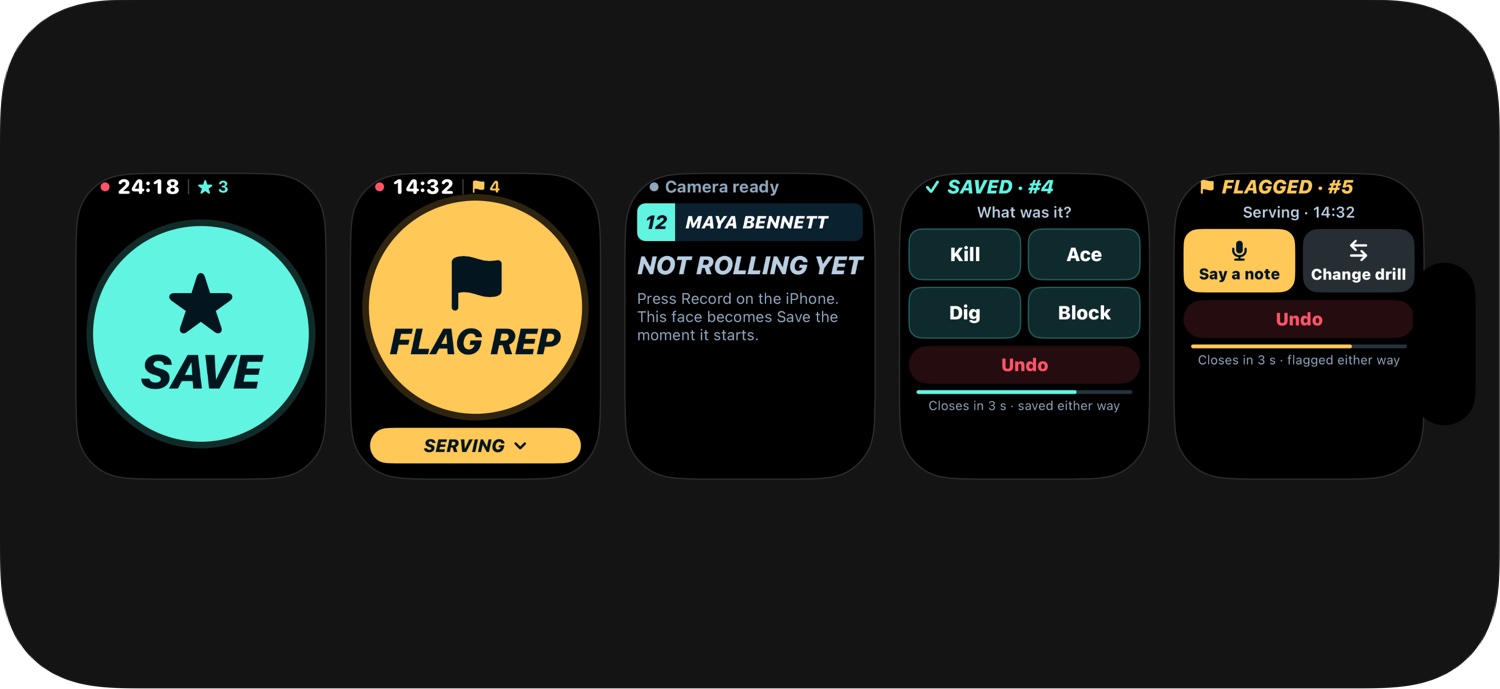
Flag a rep without reaching for the recording phone.

The paired iPhone records the video.
Native Watch Flag rep interface with the Serving drill selected
Native Watch interface · Illustrative frame

Take it into the match

The work becomes
their next great play.

Explore Athlete Game All three modes. One subscription. →